






 FC 26
FC 26
 ARC Raiders
 COD Black Ops 7
 Dark And Darker
 Grow a Garden
 Monopoly Go
 Sell To Us
 Vip Member
 Contact Us





ARC Raiders Settings Guide – Best Settings for PC & Console (Easy to Read)
2026-01-13 01:00:04

2026-01-13 01:00:04
Getting your ARC Raiders settings PC right will make a huge difference. Good settings will help you see enemies earlier. They will also make movement and aiming smoother. This matters on both consoles and PC. Without good settings, even great skill may feel slow. You can react faster and win more fights with the right setup.
This post breaks down the best ARC Raiders settings for both platforms. We'll also present the tables in a perfect manner that shows recommended values.
ARC Raiders has a lot of action on screen and is a fast shooter. The game tests your reaction time, awareness, and aiming skills. Bad settings can easily blur your vision or cause delays in responses. Good settings might make the game feel responsive and tight. Some settings may affect the frame rate, visibility, aim speed, controller response, and audio clarity.
Note: Each of these will affect the performance in fights, group content, and exploration.
You can choose many options on a PC. You can control every detail out there. The goal is smooth performance and clear visuals. You must focus on high frame rates, low input lag, and clear enemy visibility. Not every setting needs to be maxed. Rather, some visuals will reduce performance. It is surely better to achieve high FPS than to rely on fancy effects.
Graphics settings will enhance the game's visual appearance, but this may come at the expense of performance. Many players will pick clarity over beauty on PC. Crisp textures and clear shadows will help you spot enemies.
Tips:
●You must turn off motion blur, as it hides enemies on screen.
●Lower shadow quality. High shadows may hide details
●If your system can handle it, you must use a sharper resolution.
Note: Smooth gameplay feels significantly better and can help reduce eye strain.
Good mouse settings will make the shooting more natural and attractive. Too high sensitivity may feel shaky. Too low will slow down your aim.
●Sensitivity: low–medium
●DPI: 400–800
●Smoothing: off
●Acceleration: off
Note: These settings will keep aiming predictable and smooth
You can use a controller on the console. The primary goal is a rapid response and accurate tracking. Console players must adjust their sensitivity and aim assist settings.
Key Points
●Higher sensitivity will help with quick turns
●Too high will make the aim unstable
●Aim assists strength helps find targets
Note: Controllers may behave differently for each player, so use these settings as starting points.
Note: These values are general. You can adjust it slightly to suit your comfort.
Aim assist is pretty important on the controller. It will slow aim near targets. This makes tracking easier. You must combine aim assist with smooth sensitivity for the best results.
Movement settings will affect how you run, slide, and dodge. High movement speed will help in fights.
Tips:
●You must turn off unnecessary animations
●Use the sprint toggle if available
●Prioritize smooth transitions between aim and move
Note: A good movement setup may help you survive more often.
Combat will feel better when your aim and camera work well together.
Things to Adjust
●Camera shake: Off
●Weapon sway: Low
●Target lock help: On (console)
These things will reduce distractions in gunfights.
Sound plays a significant role in ARC Raiders. You can hear footsteps, reloads, enemies firing, and abilities first.
Audio Tips
●Increase the effects volume
●Lower music volume
●Use stereo sound or surround
Note: Headphones will indeed make a huge difference here.
PC players also use keybinds. Good keybinds will reduce delay in actions.
Tips:
●Move the crouch to the thumb button
●Put the sprint on a comfortable key
●Swap quick melee to a side button
Note: Custom keybinds will speed up response.
Competitive players often select Max FPS, Minimal effects, tight input controls, and high audio clarity. These settings will improve reaction time and reduce distractions.
Higher refresh rate monitors show more frames. This aspect will make the movement smoother and faster. Thus, you must set the same FPS cap slightly below the monitor's max to reduce screen tearing
Example:
144Hz monitor → cap at 140 FPS
240Hz monitor → cap at 230 FPS
After changing values, you must play a few matches. Note if enemies are easy to spot or check how movement feels. You can also adjust if needed. Small changes might add up. You must keep on tweaking until it feels right.
You can change settings when FPS drops in big fights, enemy visibility feels low, new updates change gameplay, or you switch roles like Sniper vs SMG.
Note: Settings must support your playstyle, not hinder it.
Using the best ARC Raiders settings will improve your gameplay completely. On PC, you must prioritize performance and clarity. On console, you must focus on sensitivity and aim assist. Good audio helps you hear danger before you see it. From controls to visuals, each setting shapes how you survive and fight. You must spend time tuning them. Your skill gets stronger, but good settings will amplify its impact even further.
With the right setup, even tough moments will become easier to handle. Therefore, you must continue experimenting, as what works for one may require a slight adjustment for another.
This post breaks down the best ARC Raiders settings for both platforms. We'll also present the tables in a perfect manner that shows recommended values.

Why Settings Matter in ARC Raiders
ARC Raiders has a lot of action on screen and is a fast shooter. The game tests your reaction time, awareness, and aiming skills. Bad settings can easily blur your vision or cause delays in responses. Good settings might make the game feel responsive and tight. Some settings may affect the frame rate, visibility, aim speed, controller response, and audio clarity.
Note: Each of these will affect the performance in fights, group content, and exploration.
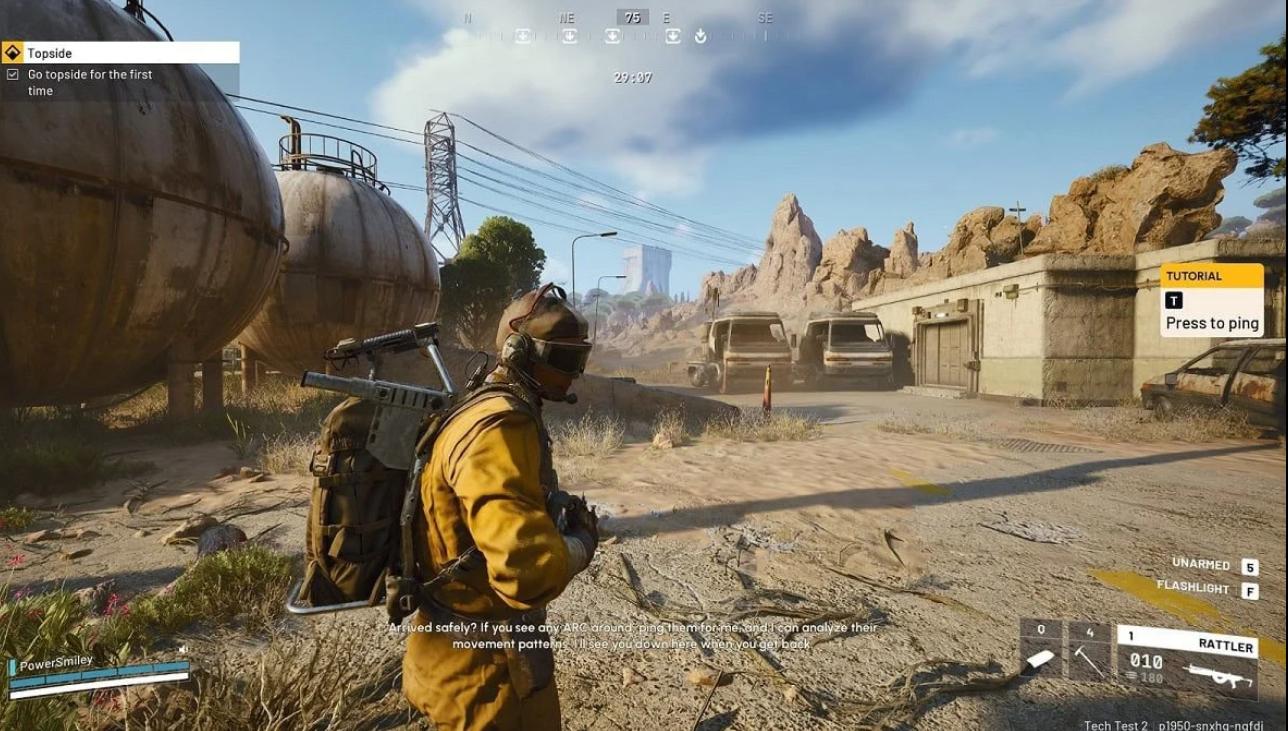
PC Settings – What to Prioritize
You can choose many options on a PC. You can control every detail out there. The goal is smooth performance and clear visuals. You must focus on high frame rates, low input lag, and clear enemy visibility. Not every setting needs to be maxed. Rather, some visuals will reduce performance. It is surely better to achieve high FPS than to rely on fancy effects.
Best PC Settings for Performance & Clarity
| Setting | Recommended Value | Why |
| Resolution | Native monitor res | Clear image |
| V-Sync | Off | Lower input lag |
| Motion Blur | Off | Clear view during movement |
| Shadow Quality | Low | Better FPS and visibility |
| Texture Quality | Medium | Balanced performance |
| Anti-Aliasing | Low–Medium | Smooth edges w/o big FPS hit |
Best Graphics Settings for PC
Graphics settings will enhance the game's visual appearance, but this may come at the expense of performance. Many players will pick clarity over beauty on PC. Crisp textures and clear shadows will help you spot enemies.
Tips:
●You must turn off motion blur, as it hides enemies on screen.
●Lower shadow quality. High shadows may hide details
●If your system can handle it, you must use a sharper resolution.
Note: Smooth gameplay feels significantly better and can help reduce eye strain.
PC Aim & Mouse Settings
Good mouse settings will make the shooting more natural and attractive. Too high sensitivity may feel shaky. Too low will slow down your aim.
Suggested Mouse Settings:
●Sensitivity: low–medium
●DPI: 400–800
●Smoothing: off
●Acceleration: off
Note: These settings will keep aiming predictable and smooth
Console Settings- What Matters More
You can use a controller on the console. The primary goal is a rapid response and accurate tracking. Console players must adjust their sensitivity and aim assist settings.
Key Points
●Higher sensitivity will help with quick turns
●Too high will make the aim unstable
●Aim assists strength helps find targets
Note: Controllers may behave differently for each player, so use these settings as starting points.
Best Console Sensitivity Settings
| Setting | Suggested Value | Notes |
| Horizontal Sensitivity | 6–7 | Strong balance |
| Vertical Sensitivity | 5–6 | Stable tracking |
| Aim Assist | On | Helps accuracy |
| Deadzone | Low | Faster response |
| Vibration | Off | Less distraction |
Note: These values are general. You can adjust it slightly to suit your comfort.
Aim Assist- How it Helps
Aim assist is pretty important on the controller. It will slow aim near targets. This makes tracking easier. You must combine aim assist with smooth sensitivity for the best results.
Movement Settings- PC & Console
Movement settings will affect how you run, slide, and dodge. High movement speed will help in fights.
Tips:
●You must turn off unnecessary animations
●Use the sprint toggle if available
●Prioritize smooth transitions between aim and move
Note: A good movement setup may help you survive more often.
Combat & Targeting Settings
Combat will feel better when your aim and camera work well together.
Things to Adjust
●Camera shake: Off
●Weapon sway: Low
●Target lock help: On (console)
These things will reduce distractions in gunfights.
Audio Settings – Hear Before You See
Sound plays a significant role in ARC Raiders. You can hear footsteps, reloads, enemies firing, and abilities first.
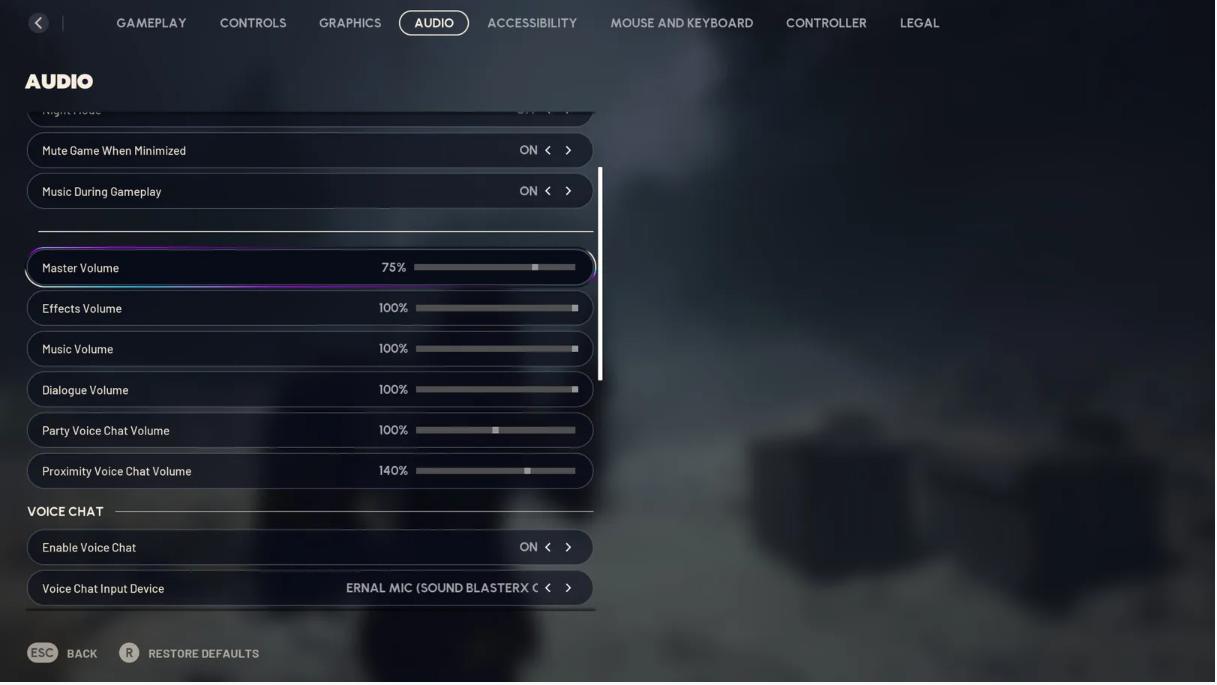
Audio Tips
●Increase the effects volume
●Lower music volume
●Use stereo sound or surround
Note: Headphones will indeed make a huge difference here.
Best Audio Settings
| Setting | Value | Reason |
| Effects Volume | 90–100% | Hear footsteps clearly |
| Dialogue Volume | 50–70% | Dialogue clarity |
| Music Volume | 20–40% | Less distraction |
| Audio Mix | Effects Priority | Focus on gameplay audio |
Input & Control Settings for PC
PC players also use keybinds. Good keybinds will reduce delay in actions.
Tips:
●Move the crouch to the thumb button
●Put the sprint on a comfortable key
●Swap quick melee to a side button
Note: Custom keybinds will speed up response.
Best Settings for Competitive Play
Competitive players often select Max FPS, Minimal effects, tight input controls, and high audio clarity. These settings will improve reaction time and reduce distractions.
Refresh Rate Tips for PC Players
Higher refresh rate monitors show more frames. This aspect will make the movement smoother and faster. Thus, you must set the same FPS cap slightly below the monitor's max to reduce screen tearing
Example:
144Hz monitor → cap at 140 FPS
240Hz monitor → cap at 230 FPS
How to Test Your Settings
After changing values, you must play a few matches. Note if enemies are easy to spot or check how movement feels. You can also adjust if needed. Small changes might add up. You must keep on tweaking until it feels right.
When to Change Settings
You can change settings when FPS drops in big fights, enemy visibility feels low, new updates change gameplay, or you switch roles like Sniper vs SMG.
Note: Settings must support your playstyle, not hinder it.
Final Thoughts
Using the best ARC Raiders settings will improve your gameplay completely. On PC, you must prioritize performance and clarity. On console, you must focus on sensitivity and aim assist. Good audio helps you hear danger before you see it. From controls to visuals, each setting shapes how you survive and fight. You must spend time tuning them. Your skill gets stronger, but good settings will amplify its impact even further.
With the right setup, even tough moments will become easier to handle. Therefore, you must continue experimenting, as what works for one may require a slight adjustment for another.
TAGS: